
โพสต์เมื่อ: ก.พ. 20, 2026 - 262 ยอดเข้าชม
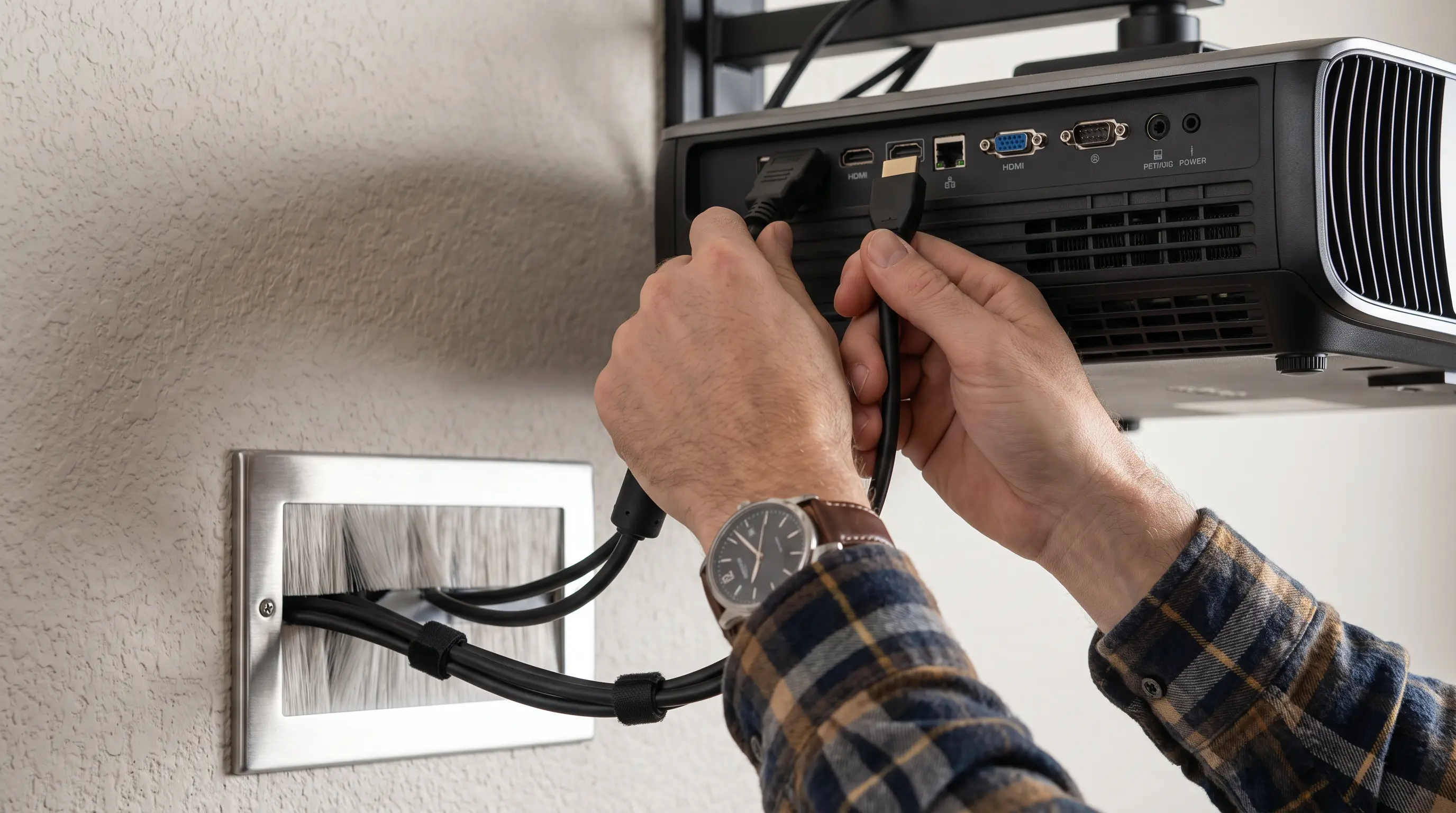
How to Connect a Phone to a Projector: A Step-by-Step 2026 Guide
Every time you walk into a conference room, the same question pops up: how to connect a phone to a projector without fumbling with adapters or mismatched cables? In a 202
Related resources: DataMax smart projector store · OEM setup services
Related DataMax Resources
Technical Overview
Wired Solutions: HDMI, USB-C, and Legacy Ports in 2026

The wired route remains the most reliable method when you need guaranteed signal integrity with zero latency. In a 2026 market where USB-C has become the universal standard for flagship smartphones, the adapter market has simplified considerably.
HDMI via USB-C DisplayPort Alt Mode
If your phone supports DisplayPort Alt Mode over USB-C, you can connect directly to any projector with an HDMI input using a single USB-C to HDMI cable. According to the USB Implementers Forum specifications, this mode delivers video signals up to 4K@60Hz, making it suitable for detailed presentations and video content. We have tested this configuration extensively with DataMax's own conference room setups, and the plug-and-play behavior eliminates the pairing frustration that sometimes plagues wireless solutions.
The critical consideration is verifying your phone's USB-C capabilities before purchasing cables. Not all USB-C ports support video output—some manufacturers limit the port to charging and data transfer only.
Key Specifications
Legacy MHL and SlimPort Options
For organizations still operating older projectors without HDMI, Mobile High-Definition Link (MHL) technology provides a bridge. MHL adapters draw power from the phone's battery, so monitor your device charge during extended presentations. The MHL Consortium reports that over 900 MHL-certified devices remain active in enterprise deployments worldwide, ensuring backward compatibility for legacy hardware refresh cycles.
| Connection Type | Max Resolution | Latency | Power Draw | Typical Cost |
|---|---|---|---|---|
| USB-C to HDMI (DP Alt Mode) | 4K@60Hz | <5ms | None | $15-40 |
| MHL to HDMI | 1080p@60Hz | <10ms | Phone battery | $20-50 |
| USB-C to HDMI (Active Adapter) | 4K@30Hz | <8ms | Minimal | $25-60 |
For B2B procurement teams evaluating bulk purchases, we recommend requesting samples from certified suppliers to test compatibility with your specific phone fleet before committing to volume orders. Most distributors offer MOQ of 50-100 units with 2-3 week lead times for custom-branded adapters.
Practical Applications
Wireless Protocols: Choosing Between Miracast, AirPlay, and Proprietary Systems
When cable management becomes impractical—think of collaborative workspaces or hot-desking environments—wireless projection protocols deliver the flexibility that modern organizations demand. The three dominant standards each serve distinct ecosystems, and your phone's operating system largely determines which path you can take.
Miracast for Windows and Android Devices
Miracast operates as a peer-to-peer Wi-Fi Direct standard, creating a direct connection between your phone and the projector without requiring an existing network infrastructure. The Wi-Fi Alliance certification ensures cross-vendor compatibility, though implementation quality varies significantly between manufacturers. Android devices running version 5.0 and above natively support Miracast, while Windows 10 and 11 PCs can utilize the same protocol through the Connect app.
One limitation to acknowledge: Miracast does not support content protection for Netflix or other DRM-protected streaming services. For B2B presentations focused on slides, documents, and internal video content, this rarely presents a problem.
Comparison and Selection
AirPlay and the Apple Ecosystem
Apple's AirPlay protocol remains exclusive to iOS and macOS devices, projecting content through Apple TV hardware or AirPlay-enabled displays. For organizations standardized on Apple hardware, AirPlay offers smooth integration with enterprise Wi-Fi networks and supports up to 4K resolution on compatible receivers.
For OEM buyers evaluating projectors with built-in AirPlay functionality, the certification process requires compliance testing through Apple's MFi program. Lead times for new AirPlay-certified models typically run 8-12 weeks following hardware qualification.
Enterprise-Grade Wireless Presentation Systems
Beyond consumer protocols, enterprise wireless presentation systems like Barco ClickShare, Crestron AirMedia, and Mersive Solstice address corporate security requirements and network integration needs. These platforms offer centralized management, meeting room analytics, and IT policy enforcement that consumer protocols cannot match.
Implementation and Best Practices
When evaluating these systems for procurement, consider total cost of ownership including annual software licensing fees, which typically range from $50-200 per room per year depending on feature sets. For organizations deploying across multiple locations, the centralized management capabilities often justify the premium over consumer-grade alternatives.
How to Choose the Right Phone-to-Projector Solution for Your Organization
Selecting the optimal method to connect a phone to a projector depends on your organization's specific workflow, device ecosystem, and deployment scale. We recommend evaluating three key factors: compatibility requirements, deployment volume, and total cost of ownership.
Volume Procurement Considerations
For organizations planning bulk deployments, most suppliers establish minimum order quantities (MOQs) ranging from 50-100 units, with lead times spanning 2-3 weeks for standard configurations Statista Market Insights. Sample policies typically allow testing 2-3 units before committing to larger orders. We suggest requesting samples from certified suppliers to validate compatibility with your existing device fleet. DataMax offers dedicated B2B support channels for procurement teams evaluating custom configurations.
Consider the following when comparing solutions:
- Initial hardware cost versus ongoing licensing fees
- Compatibility with existing device inventory (iOS, Android, Windows)
- IT management capabilities and security features
- Warranty and support service levels
- Scalability for future expansion
Organizations prioritizing smooth Apple ecosystem integration should prioritize AirPlay-certified solutions, while those with mixed device environments may find enterprise-grade wireless presentation systems more practical despite higher upfront costs.
