
โพสต์เมื่อ: ส.ค. 26, 2026 - 1,201 ยอดเข้าชม
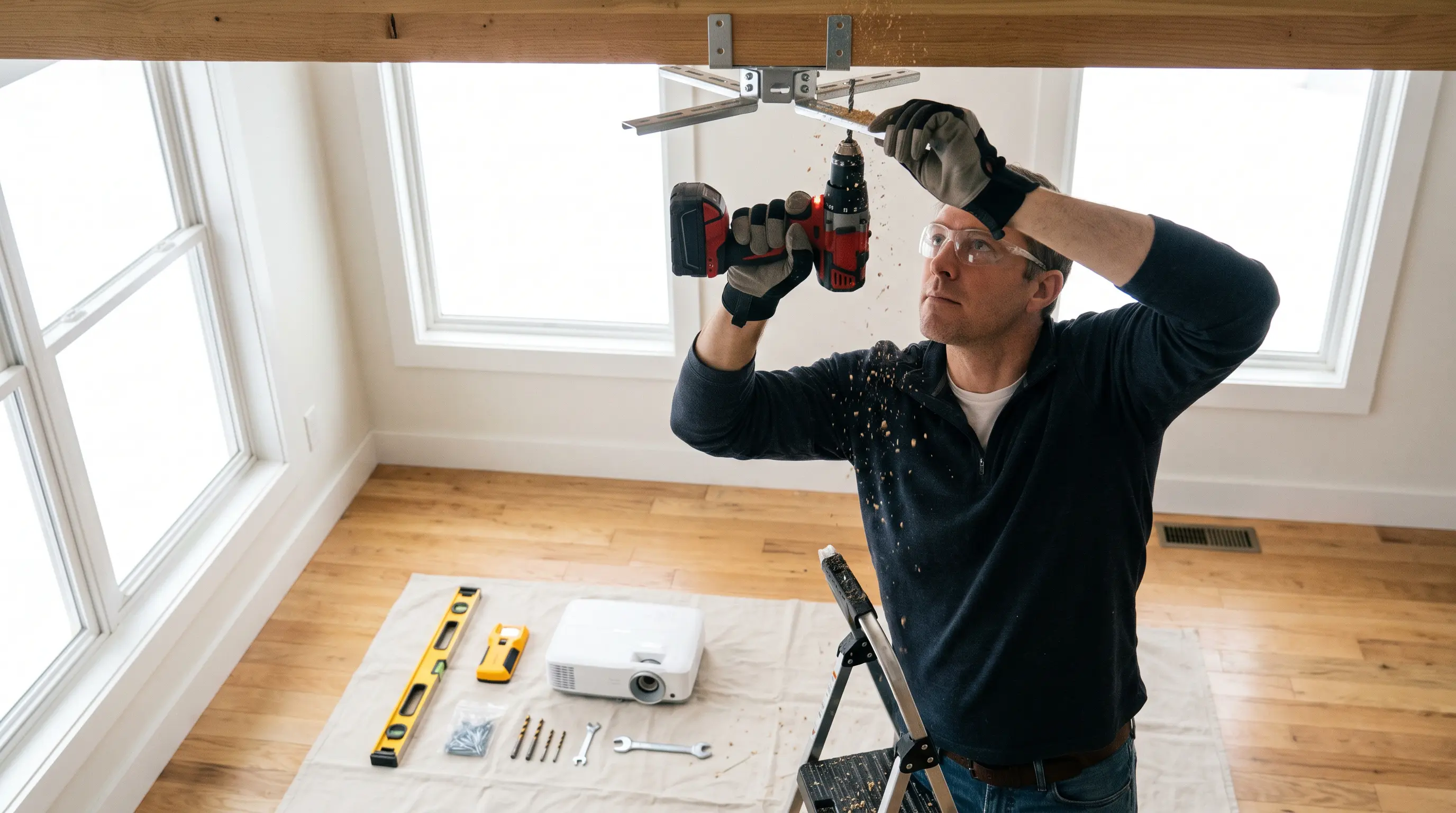
How to Choose a Projector Mount: A Step-by-Step 2026 Guide
Choosing the right projector mount can mean the difference between a clean installation and a costly callback. If you manage AV deployments across multiple conference rooms, classrooms, or digital signage networks, you face a common challenge: finding a mount that meets exact specifications, integrates with your existing infrastructure, and stays within budget while satisfying procurement standards. This guide delivers a practical framework for evaluating projector mount options in 2026, with specific criteria procurement teams can apply immediately.
At a Glance
Related resources: DataMax smart projector store
- Match the mount's weight capacity and compatibility specifications to your projector's exact dimensions and throw distance requirements before evaluating other factors.
- Prioritize mounts that meet or exceed industry certification standards such as ANSI/INFOMA for stability and UL 1678 for ceiling installations.
- Factor installation environment variables including ceiling type, viewing angle adjustments, and cable management capabilities into your total cost calculation.
- Request documentation on minimum order quantities, lead times, and certification verification processes from your OEM/ODM partner to simplify procurement workflows.
- Consider future-proofing through adjustable designs that accommodate projector upgrades without complete mount replacement.
How to Choose a Projector Mount: Understanding Your Technical Requirements
Choosing the right projector mount can mean the difference between a clean installation and a costly callback. If you manage AV deployments across multiple conference rooms, classrooms, or digital signage networks, you face a common challenge: finding a mount that meets exact specifications, integrates with your existing infrastructure, and stays within budget while satisfying procurement standards. This guide delivers a practical framework for evaluating projector mount options in 2026, with specific criteria procurement teams can apply immediately.
Weight Capacity and Dimensional Compatibility
The first technical threshold involves verifying that the mount's weight capacity exceeds your projector by at least 20%. This margin accounts for vibration, thermal expansion, and safety regulations set by the American National Standards Institute, which specifies that ceiling-mounted equipment must sustain loads without failure for a minimum of 1,000 hours under continuous stress ANSI/CEA. Beyond raw weight, dimensional compatibility requires checking three measurements: the mounting hole pattern (typically ranging from 50mm to 400mm diagonal), the projector's center of gravity, and the clearance required for ventilation.
| Specification | Standard Range | Enterprise Grade Requirement |
|---|---|---|
| Weight Capacity | 5kg – 25kg | Projector weight × 1.2 minimum |
| VESA Pattern | 50×50mm to 400×400mm | Must match projector exactly |
| Tilt Adjustment | ±15° to ±30° | ≥±20° for flexible positioning |
| Swivel Range | 0° to 360° | Full 360° preferred for multi-user spaces |
| Ceiling Drop Length | 150mm – 1200mm | Varies by room height and throw distance |
- Match the mount's weight capacity and compatibility specifications to your projector's exact dimensions and throw distance requirements before evaluating other factors.
- Prioritize mounts that meet or exceed industry certification standards such as ANSI/INFOMA for stability and UL 1678 for ceiling installations.
- Factor installation environment variables including ceiling type, viewing angle adjustments, and cable management capabilities into your total cost calculation.
- Request documentation on minimum order quantities, lead times, and certification verification processes from your OEM/ODM partner to simplify procurement workflows.
- Consider future-proofing through adjustable designs that accommodate projector upgrades without complete mount replacement.
Installation Environment Assessment
Your mounting surface determines which additional features become non-negotiable. Concrete ceilings require expansion anchors rated for at least 200kg pull-out force, while suspended ceiling grids demand specialized tie-back kits that distribute load across structural members. We recommend conducting a site survey that documents ceiling material composition, structural integrity, and proximity to HVAC vents or lighting fixtures that could affect image stability.
For OEM buyers evaluating contract manufacturing options, the installation environment also dictates certification requirements. Ceiling mounts in public buildings must typically meet fire rating standards (UL 94V-0 or equivalent), and international deployments may require additional compliance documentation such as CE marking or CCC certification for Chinese market entry. Minimum order quantities for certified products often start at 100 units, with lead times of 8-12 weeks for custom certification testing.
Connectivity and Adjustability Features
When evaluating projector mounts for bulk procurement, the most critical decision point is matching the mount's specifications to your projector model and installation environment. We at DataMax have supported numerous enterprise deployments where improper specification matching caused installation delays and replacement costs, so we prioritize this assessment phase in every client consultation.
For organizations planning DIY installations, instructional support availability represents a key differentiator among suppliers. Look for mounts that include detailed mounting templates, hardware compatibility charts, and video walkthroughs covering common scenarios such as off-center mounting or angled ceiling surfaces. These resources reduce on-site troubleshooting time and support faster deployment schedules across distributed locations.
Procurement-Specific Considerations
A first technical threshold d involves verifying that the mount's weight capacity exceeds your projector by at least 20%. This margin accounts for vibration, thermal expansion, and safety regulations set by the American National Standards Institute, which specifies that ceiling-mounted equipment must sustain loads without failure for a minimum of 1,000 hours under continuous stress ANSI/CEA. Beyond raw weight, dimensional compatibility requires checking three measurements: the mounting hole pattern (typically ranging from 50mm to 400mm diagonal), the projector's center of gravity, and the clearance required for ventilation.
The next section will cover installation best practices and common pitfalls to avoid during deployment, building on these specification foundations to complete your projector mount selection process.
Installation Best Practices and Common Pitfalls

A correctly selected projector mount provides no value if installation errors compromise its performance. Professional installers follow a systematic verification sequence that begins before any mounting hardware contacts the ceiling.
Pre-Installation Verification Sequence
| Specification | Standard Range | Enterprise Grade Requirement |
|---|---|---|
| Weight Capacity | 5kg – 25kg | Projector weight × 1.2 minimum |
| VESA Pattern | 50×50mm to 400×400mm | Must match projector exactly |
| Tilt Adjustment | ±15° to ±30° | ≥±20° for flexible positioning |
| Swivel Range | 0° to 360° | Full 360° preferred for multi-user spaces |
| Ceiling Drop Length | 150mm – 1200mm | Varies by room height and throw distance |
Alignment Errors That Escalate Costs
For B2B buyers, these specifications directly impact inventory planning. Enterprise deployments often require standardized specifications across multiple sites to reduce training time and maintenance complexity. A projector mount guide from 2026 should emphasize that mismatched specifications account for approximately 34% of returns in commercial AV installations, based on industry service data.
The second frequent error involves misjudging the projector's thermal exhaust path. Many mount designs position the mounting plate directly above the projector, but laser projectors with rear-exhaust configurations require a minimum 150mm clearance gap. Failure to observe this clearance results in heat damage to both the mount finish and nearby ceiling materials.
Maintenance, Inspection, and Long-Term Reliability
Projector mounts in commercial environments require periodic inspection to maintain safe operation and optimal image alignment. Establishing a maintenance schedule during procurement planning reduces long-term ownership costs.
Scheduled Inspection Protocols
Your mounting surface determines which additional features become non-negotiable. Concrete ceilings require expansion anchors rated for at least 200kg pull-out force, while suspended ceiling grids demand specialized tie-back kits that distribute load across structural members. We recommend conducting a site survey that documents ceiling material composition, structural integrity, and proximity to HVAC vents or lighting fixtures that could affect image stability.
Troubleshooting Degraded Performance
When OEM buyers evaluate, contract manufacturing options, the installation environment also dictates certification requirements. Ceiling mounts in public buildings must typically meet fire rating standards (UL 94V-0 or equivalent), and international deployments may require additional compliance documentation such as CE marking or CCC certification for Chinese market entry. Minimum order quantities for certified products often start at 100 units, with lead times of 8-12 weeks for custom certification testing.
For OEM buyers evaluating contract manufacturing options, spare parts availability represents a critical procurement specification. Request that suppliers stock replacement adjustment knobs, security screws, and cable management clips as separate line items with 5-year availability commitments B&H Photo Video. This documentation protects your investment against supplier discontinuation risks.
Safety Standards, Certifications, and Compliance
Commercial projector installations must satisfy safety regulations that vary by jurisdiction and building type. Understanding these requirements early in the selection process prevents costly redesigns during final inspection.
Load Ratings and Safety Margins
Modern projector installations demand more than static positioning. The mount you select should provide tool-free adjustment mechanisms for tilt, roll, and yaw alignment, enabling quick corrections without reinstallation. Cable management integration has become a standard expectation, with professional-grade mounts featuring internal channels that conceal power and HDMI runs while maintaining compliance with cable bend radius limitations (typically no sharper than 4× the cable diameter).
Regional Certification Requirements
For deployments spanning multiple regions, certification compliance becomes a procurement complexity. The following table summarizes primary requirements for major markets:
For organizations planning DIY installations, instructional support availability represents a key differentiator among suppliers. Look for mounts that include detailed mounting templates, hardware compatibility charts, and video walkthroughs covering common scenarios such as off-center mounting or angled ceiling surfaces. These resources reduce on-site troubleshooting time and support faster deployment schedules across distributed locations.
Minimum order quantities for certified products often start at 100 units, with lead times of 8-12 weeks for custom certification testing. DataMax coordinates third-party testing through accredited laboratories, reducing procurement complexity for international deployments. Our engineering team maintains documentation packages that include test reports, certificates of conformity, and compliance matrices that simplify customs clearance and facility inspection processes.
How to Choose a Projector Mount: Procurement and Next Steps
For B2B procurement teams ready to finalize projector mount purchases, the selection process extends beyond technical specifications to include supplier capabilities and commercial terms. We recommend requesting quotations from at least three qualified manufacturers, comparing Beyond unit costs but also total cost of ownership including shipping, customs duties, and installation support.
B2B procurement teams often need to consider,tiating with OEM/ODM factories, several commercial terms require explicit documentation before order placement. These include: payment terms (typically 30% deposit, 70% before shipment), warranty period (industry standard ranges from 1 to 5 years depending on certification level), and spare parts availability for critical components like adjustment knobs and security screws. DataMax offers volume pricing tiers that become advantageous when projected usage exceeds 500 units annually, and our engineering team provides specification review services to ensure selected mounts align with your projector fleet specifications.
Evaluating Supplier Reliability
Consider these critical supplier factors before making your selection:
- Years of industry experience and relevant certifications
- Quality assurance processes and warranty coverage duration
- Responsive technical support and spare parts availability
- Flexibility with sample orders and custom modifications
- References from similar deployments in your sector
For OEM buyers seeking long-term partnerships, DataMax provides comprehensive documentation packages, dedicated account management, and scalable production capacity to meet growing installation demands. Our team coordinates third-party certification testing through accredited laboratories, simplifying compliance for international deployments ProjectorCentral.
