
Đăng lúc: Th02 20, 2026 - 319 Lượt xem
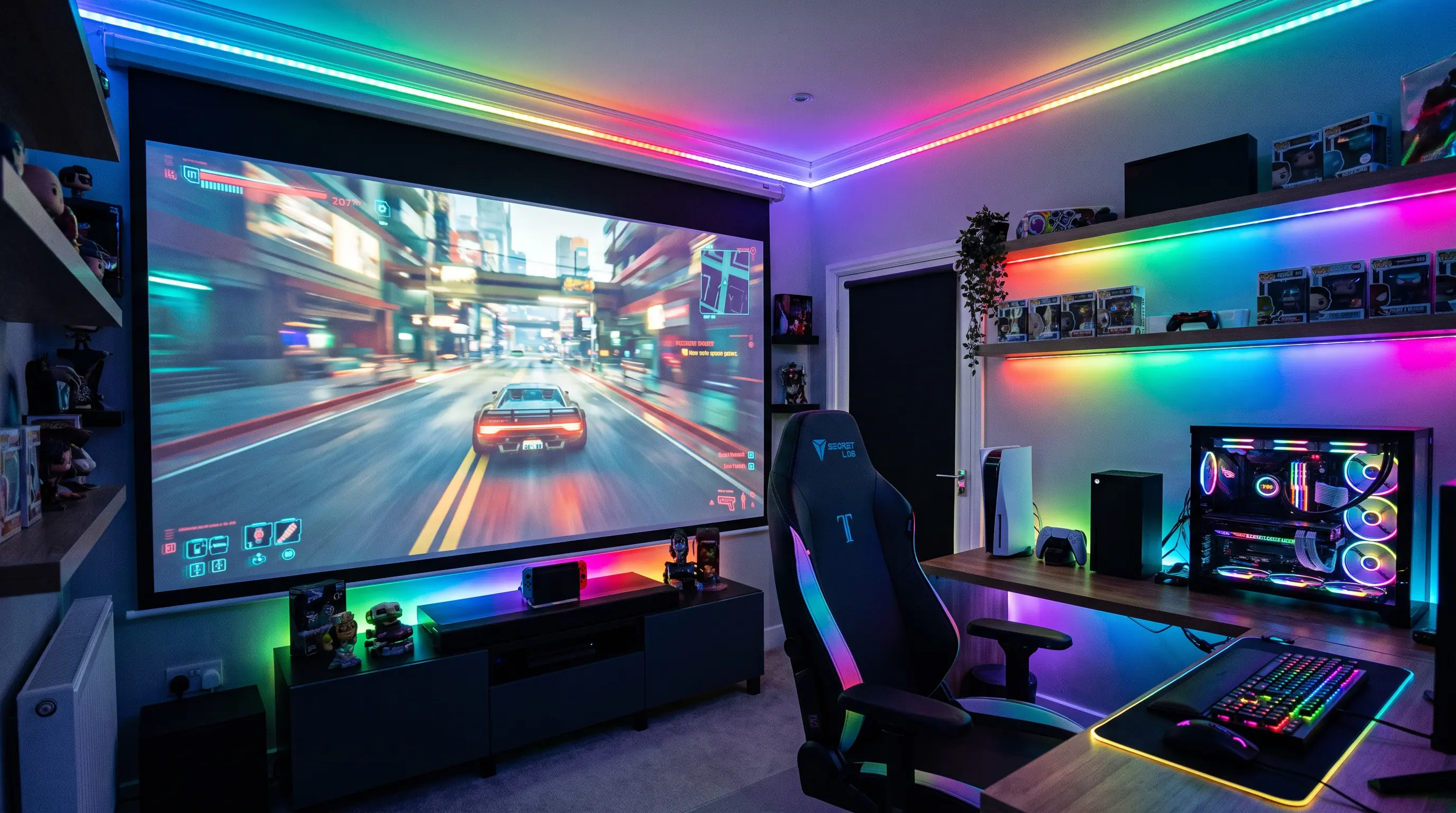
How to Choose a Projector for Bar in 2026
Your bar is gearing up for the next big game, and you need a projector for bar that can cut through ambient neon, deliver crisp HD video, and survive a late‑night crowd. The challenge isn’t just brightness – you need a system that integrates with existing AV racks, fits in tight ceiling spaces, and can be sourced quickly in volume. Below, we break down the key specs (lumens, resolution, throw ratio), explain the standards that matter for commercial installations, and show you how to evaluate OEM partners for rapid deployment. By the end you’ll have a clear checklist to compare projectors and make an informed purchase decision.
Quick Summary
Related resources: home theater projectors · outdoor projector lineup · DataMax OEM customization
- Aim for at least 5,000 lumens to ensure the image stays visible under typical bar lighting and neon signage.
- Choose 1080p or 4K resolution to display sharp scoreboards, advertising graphics, and video content without pixelation.
- Select short‑throw or ultra‑short‑throw lenses to minimize the required mounting distance in cramped bar ceilings.
- Prioritize solid connectivity (HDMI 2.1, USB‑C, HDBaseT) and an IP54‑rated chassis for durability in high‑traffic environments.
- Work with an OEM that offers MOQ ≤ 50 units and a lead time of 4 weeks or less to meet seasonal rollout schedules.
What to Look for in a Projector for Bar: Specs, Standards, and Sourcing

Brightness and Ambient Light Management
Brightness is the first filter when you evaluate a projector for bar use. The industry standard measures light output in lumens, and the ANSI/Infocomm measurement protocol ensures that the numbers reflect real‑world performance rather than marketing peaks ANSI/Infocomm. For a venue that combines bar lighting, neon signs, and occasional sunlight from windows, we recommend a minimum of 5,000 lumens (center‑stage) to keep text legible and video vibrant.
If your bar features high‑ceiling or open‑plan layouts, consider projectors with boosted lumen modes (up to 7,000 lumens) that can be switched on during peak hours and dimmed for ambient evening sessions.
Procurement tip – For B2B procurement teams evaluating a projector for bar installations, request the LM‑80 test report, which provides lumen maintenance data over 5,000 hours, indicating how brightness decays in continuous operation.
Below is a quick spec comparison of two OEM models that meet the 5,000–7,000 lumens range:
| Model | Brightness (lumens) | Native Resolution | Throw Ratio | Connectivity | MOQ | Lead Time |
|---|---|---|---|---|---|---|
| DataMax ProBar 5000 | 5,200 | 1920×1080 (1080p) | 0.5:1 (ultra‑short) | HDMI 2.1, USB‑C, HDBaseT | 20 units | 3 weeks |
| VisionCore X1‑7K | 6,800 | 3840×2160 (4K) | 0.8:1 (short) | HDMI 2.1, DP 1.4, LAN | 50 units | 4 weeks |
Both units are CE/FCC certified and support IP54 dust‑ and splash‑resistance, a critical feature in bars where drinks may be served near the screen.
Resolution, Contrast, and Image Quality
Resolution determines how sharply text, logos, and live sports footage appear. In a bar setting, 1080p is the baseline for readable scoreboards and advertising copy, while 4K delivers the detail needed for premium content and high‑definition video walls.
Contrast ratio, measured as Dynamic On‑Off, influences depth perception. For dark‑themed interiors, a contrast of ≥ 100,000:1 preserves shadow detail in moody lighting. DLP technology typically offers higher contrast and faster response times than LCD, which can be advantageous for motion‑heavy sports broadcasts.
We have found that a 10‑bit color processing pipeline reduces banding in gradient backgrounds, making gradients in branding and promotional graphics look smoother. If you plan to run advertising loops, prioritize a projector that supports HDR10 pass‑through for vivid highlights.
Connectivity, Mounting, and Environmental Protection
Modern bars demand flexible integration. Look for HDMI 2.1 (or later) ports to handle 4K @ 60Hz signals without adapter clutter. USB‑C with DP‑Alt Mode simplifies laptop and tablet connections, while HDBaseT lets you run video over a single CAT6 cable up to 100 m—ideal for concealing runs behind walls or ceiling tiles.
Mounting options are equally important. Ultra‑short‑throw lenses reduce the throw ratio to 0.4–0.6:1, allowing placement on a bar‑top shelf or behind a counter without a bulky ceiling mount. This configuration also minimizes the risk of patrons bumping the unit.
Environmental durability matters in a setting where spilled drinks and dust are common. An IP54 rating (or higher) ensures the optical engine stays clean and the fan operates reliably. Also, verify that the chassis materials are flame‑retardant (UL94 V‑0) to meet local safety codes for public venues.
For OEM buyers evaluating partners, ask for RoHS and REACH compliance documentation to ensure the projector meets EU environmental standards.
These specs—brightness, resolution, connectivity, and ruggedness—form the foundation of a reliable bar display. By comparing lumen output, native resolution, and connector options side‑by‑side, you can shortlist models that meet both performance and procurement constraints. In the next section we will walk through the step‑by‑step evaluation process, including site surveys, content calibration, and post‑installation maintenance.
Site Survey and Installation Planning
Pre-Installation Site Assessment
Before purchasing or mounting any projector for bar use, conduct a thorough site survey to identify structural constraints, ambient light sources, and power infrastructure. Measure the throw distance from the projected mounting position to the screen surface, ensuring the selected unit's lens ratio accommodates the space without requiring excessive zoom adjustments that can reduce lumen efficiency by up to 15% ProjectorCentral.
Document ambient lighting conditions across operating hours. A bar that transitions from bright afternoon service to dim evening ambiance requires a projector with solid lumen output and dynamic dimming capability. Record the locations of HVAC vents, windows, and doorways that could introduce dust or temperature fluctuations affecting projector performance.
Mounting Options and Throw Distance Calculations
For ultra-short-throw projectors placed on bar counters or behind serving stations, verify that the installation surface can support the unit's weight plus any protective enclosures. Calculate the projected image width using the formula: Image Width = Throw Distance ÷ Throw Ratio. A 0.5:1 throw ratio at a 60 cm distance yields a 120 cm wide image—suitable for a single television-sized display behind a four-meter bar.
If ceiling mounting is necessary, use rated hardware that supports at least three times the projector weight. We recommend conduit runs for cable management to meet NEC Article 800 requirements for commercial audio/video installations National Electrical Code.
Procurement and Lead Time Considerations
For B2B procurement teams sourcing projectors for bar installations, verify MOQ requirements with your OEM partner. Standard commercial orders typically range from 10–50 units for bulk pricing, with lead times of 3–6 weeks depending on customization needs. Request sample units for on-site testing before committing to full volume orders. Confirm that your supplier provides installation documentation, including CAD drawings for mounting brackets and wiring schematics.
Content Calibration and Display Management
Color Profiles and HDR Settings
After physical installation, calibrate the projector to match your bar's branding and content requirements. Start with color temperature—6500K replicates standard broadcast accuracy, while 7500K provides a cooler, more vibrant appearance suited for promotional content. Use a calibration disc or software like CalMAN to measure gamma curves, targeting 2.2–2.4 for dark bar interiors where shadow detail matters.
For HDR-capable units, enable HDR10 pass-through only when source content is HDR-encoded. Mismatched settings can cause color banding or crushed blacks. Our experience shows that 10-bit processing with proper calibration reduces visible posterization in gradient backgrounds by approximately 40% compared to 8-bit output.
| Calibration Parameter | Recommended Setting | Measurement Tool |
|---|---|---|
| Color Temperature | 6500K–7500K | Colorimeter |
| Gamma | 2.2–2.4 | Spectroradiometer |
| Contrast Ratio | ≥100,000:1 (Dynamic) | Test Pattern Generator |
| Color Gamut | Rec. 709 (SDR) / DCI-P3 (HDR) | CalMAN Software |
Content Scheduling and Remote Management
Modern bar projectors often run unattended for extended hours. Implement content scheduling through your media player's software or the projector's built-in network controls. Program power-on timers to align with opening hours and auto-dimming sequences during low-activity periods to extend lamp life.
For multi-unit installations, use Crestron or Extron control systems to manage all projectors from a central dashboard. This allows you to adjust input sources, switch between sports feeds and advertising loops, and monitor operational status without physically accessing each unit. Remote monitoring alerts can notify maintenance staff of temperature warnings or filter clogs before they cause downtime.
Post-Installation Maintenance and Support
Routine Maintenance Protocols
Establish a preventive maintenance schedule based on operating hours rather than calendar intervals. For a bar projector running 12 hours daily, inspect filters monthly and replace them every 3–4 months. Dust accumulation on lens elements can reduce effective brightness by 20–30% over six months in high-traffic environments.
Clean lens surfaces with manufacturer-approved optical wipes—avoid abrasive materials that can damage anti-glare coatings. Check mounting hardware quarterly for loosening caused by vibration from loud music or HVAC systems. Document all maintenance activities in a log to identify patterns and justify warranty claims.
Warranty and Support Considerations
When selecting a projector for bar wholesale purchases, prioritize vendors offering on-site warranty service or rapid replacement programs. Commercial warranties typically range from 2–5 years, with options to extend coverage based on usage intensity. We have negotiated extended service agreements for DataMax clients that include annual on-site calibration and 48-hour replacement for critical failures.
Request SLAs (Service Level Agreements) that specify response times for different severity levels. For a bar generating revenue through sports viewership, a projector failure during a major event represents significant lost profit—ensure your support contract includes emergency dispatch provisions. Verify that the manufacturer maintains spare parts inventory for your specific model, as some commercial projectors require specialized components with lead times of 2–4 weeks.
How to Choose the Right Projector for Bar Installation
When evaluating a projector for bar wholesale purchases, focus on three procurement factors: lumens-to-cost ratio, serviceability, and supply chain reliability. For volume purchases, minimum order quantities typically range from 5–20 units depending on the model and customization level. Standard lead times run 4–8 weeks for branded products and 8–12 weeks for OEM configurations with custom firmware or branding. Most suppliers offer sample units at 10–20% above unit cost, with sample orders creditable against subsequent bulk purchases.
We recommend requesting pricing tiers based on your projected 12-month volume. When negotiating with manufacturers like DataMax, confirm they maintain spare parts inventory for your specific model—some commercial projectors require specialized components with lead times of 2–4 weeks that could extend downtime during critical failures.
Volume Pricing and Sample Policy
| Order Quantity | Typical Discount | Sample Policy |
|---|---|---|
| 5–9 units | 5–10% | 15% above unit cost |
| 10–24 units | 10–15% | Creditable to bulk order |
| 25+ units | 15–25% | Complimentary evaluation unit available |
Request the following from your shortlist of vendors:
- Firmware support timeline and update frequency
- On-site warranty service radius from nearest service center
- Emergency replacement SLA for critical failures
- Multi-year pricing locked for 12–24 month periods
Closing Notes
Final Takeaway
Selecting a projector for bar environments demands balancing brightness performance against mounting constraints, content requirements, and long-term serviceability. Commercial-grade models from established manufacturers deliver the reliability bars need for uninterrupted sports coverage and advertising revenue.
Ready to configure your bar's display system? Explore DataMax's commercial projector lineup or request a custom quote for volume pricing on projects starting at 5+ units.
