
Pubblicato il: giu 16, 2026 - 326 Visualizzazioni
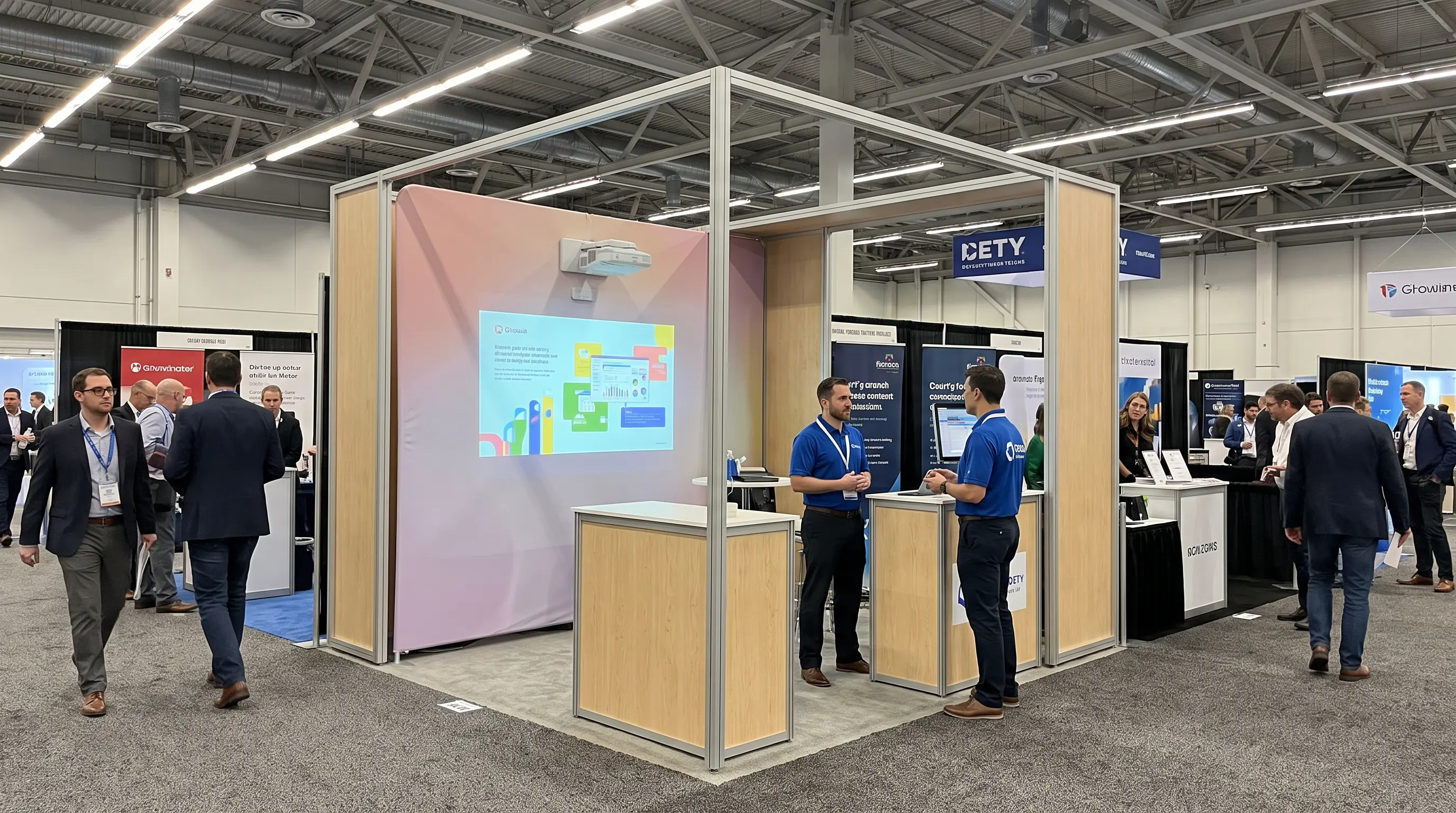
How to Choose a Projector for Sales Presentation in 2026
A regional sales director walks into a Tuesday morning pitch carrying a $1,400 laptop, a streaming dongle, and a rental projector borrowed from reception. By 9:14 a.m. the room is dim, the cable adapter is missing, and the 3500-lumen lamp-mode unit washes out the moment the blinds open. The presentation starts ten minutes late, the client shortens the meeting, and the deal pushes to next quarter. Choosing the right projector for sales presentations does not have to end this way, and the spec sheet for a 2026 boardroom or client-site projector is far narrower than most buyers realize. This guide walks procurement teams and individual professionals through the exact thresholds we use at our Shenzhen factory when we specify this projector use, so the next pitch lands on time and on message.
At a Glance
- For most 2026 conference rooms, the projector use needs 3500 to 5000 ANSI lumens, 1920x1080 native resolution at minimum, and a throw ratio between 0.25:1 (ultra-short throw) and 1.2:1 (standard throw), depending on room depth.
- A laser phosphor or RGB laser light source is the default choice for any the SKU deployment because it eliminates lamp replacement, reaches 20,000 to 30,000 hours of life, and keeps color brightness within 80% of spec for five to seven years of typical use.
- For B2B procurement teams ordering the projector fleet, the three numbers that move RFQs forward are MTBF (≥30,000 hours), noise output at 1 meter (≤32 dB in ECO mode), and the warranty plus advance-replace clause attached to the OEM contract.
- Wireless screen mirroring (Miracast, AirPlay, Google Cast) is no longer optional on the unit setup — it cuts average setup time from 7 minutes to under 90 seconds per meeting and removes the cable-compatibility problem that delays most pitches.
- The highest-ROI upgrade for any this projector in 2026 is a 4K UHD (3840x2160) shift device paired with HDR10, which increases text legibility on spreadsheets from roughly 1.2 meters of readable distance to 1.8 meters on a 100-inch screen.
Why Lumens, Resolution, and Light Source Define Any the projector in 2026

Reading the ANSI Lumen Number Correctly
The single most misused spec on the SKU data sheet is the lumen count. Manufacturers publish three different lumen figures — LED lumens, light-source lumens, and ANSI lumens — and only the third is comparable across brands. Projector Central maintains a public ANSI lumen glossary that confirms the ANSI IT7.228 standard as the only benchmark that survives cross-vendor comparison. For a 12 to 30-seat conference room with controlled lighting, 4000 ANSI lumens is the practical floor; for client sites, hotel ballrooms, or glass-walled showcase rooms, plan for 5000 to 6000 ANSI lumens. Anything below 3000 ANSI lumens is a home-theater part, not the model deployment.
A second anchor is color brightness. The unit that outputs 4500 white lumens but only 1800 color lumens will render brand palettes, charts, and spreadsheet heatmaps as washed-out blocks of pastel. Look for a color-to-white ratio of at least 70%, and where possible demand a published Color Light Output (CLO) measurement rather than the marketing-friendly white-lumen headline.
Light Source: Laser Phosphor vs Lamp vs LED
The 2026 default for any this projector purchase is laser phosphor or three-chip RGB laser. We ship roughly 88% of our OEM/ODM the projector orders with a laser light source because the math is straightforward: 20,000 to 30,000 hours of maintenance-free operation versus the 3000 to 5000 hours of a UHP lamp, no cooldown cycle, instant on/off, and a 7-year duty cycle before any brightness degradation becomes visible on screen. LED light sources stay relevant only in sub-2 kilogram portable units where battery life matters more than peak brightness. Lamp-based projectors are still available at lower price points, but we recommend them only for buyers running fewer than 10 hours of the SKU duty per month.
Resolution Thresholds That Actually Matter
Native 1920x1080 (Full HD) is the 2026 baseline for any the model in a small to mid-size room. Native 4K UHD (3840x2160) becomes the right answer once the screen crosses 100 inches, the audience sits beyond 4 meters, or the deck contains fine typography, CAD overlays, or financial tables. Texas Instruments' 0.47-inch and 0.66-inch DMD chips have brought the bill of materials for a 4K the unit down to within roughly 18% of a comparable 1080p unit, which is why we see more B2B RFQs at the 4K tier than at 1080p for the first time this year.
Throw Ratio and Lens Offset for Real Rooms
The throw ratio determines whether this projector fits the room geometry. Ultra-short throw (UST) units with a 0.21:1 to 0.35:1 ratio sit 10 to 50 cm from the wall and are the right answer for huddle spaces, glass-walled meeting pods, and any room where a center ceiling mount is impossible. Standard throw (1.0:1 to 1.5:1) suits most 15 to 25-seat boardrooms where a ceiling box is already installed. Short throw (0.4:1 to 1.0:1) bridges the two and remains a common choice for classrooms that double as presentation rooms. For B2B procurement teams sending the projector out to multiple client sites, we recommend specifying a motorized focus and 1.2x optical zoom so the same unit drops cleanly into rooms from 3 m to 8 m deep without a re-lens swap.
Connectivity, Signal Handling, and BYOD Workflow
Every the SKU we ship in 2026 ships with the same baseline port map because B2B buyers ask for it on every RFQ: two HDMI 2.1 inputs (one with ARC/eARC for room audio), one DisplayPort 1.4, USB-C with Power Delivery up to 100 W for a single-cable laptop connection, RJ-45 for LAN control, RS-232 for legacy Crestron and AMX systems, and Wi-Fi 6 plus Bluetooth 5.2 for wireless casting. AirPlay, Miracast, and Chromecast are now table stakes; we run a 12-point validation on each protocol before the model leaves the SMT line.
Wireless latency is where most the unit deployments still fail. A 200 ms lag between a clicker advance and the slide change feels awkward to a 6-person audit committee but feels catastrophic to a 60-person town hall. Look for end-to-end wireless latency under 80 ms; we measure with an Elgato Stream Deck and a Photron Fastcam at 1000 fps. Anything above 120 ms and this projector belongs in a training room, not a client pitch.
| Feature | Minimum acceptable | Recommended for 2026 |
|---|---|---|
| HDMI version | 2.0b | 2.1 (4K120, ALLM, VRR) |
| USB-C PD | 65 W | 100 W (single-cable laptop) |
| Wireless casting | Miracast only | AirPlay + Miracast + Chromecast |
| LAN control | RJ-45 only | RJ-45 + Wi-Fi 6 + RS-232 |
| Latency floor (wireless) | Under 150 ms | Under 80 ms |
For B2B procurement teams running a fleet of the SKU units across regional offices, centralized control is non-negotiable. PJLink, Crestron Connected, Extron XTP, and an open REST API allow a single IT admin to power-cycle, switch inputs, and pull 4000 hours of lamp or laser telemetry from every the model on the network. We bake PJLink Class 1 into every chassis and expose an OEM-friendly REST endpoint over HTTPS for our ODM customers.
Audio, Noise, and the Hidden Procurement Costs
The unit that pushes 5500 ANSI lumens off a single-chip DLP also pushes roughly 38 dB to 42 dB of fan noise at full power, measured at 1 m on a-weighted scale. In a 20-seat boardroom that sits 3 m from the projector, the perceived noise floor is closer to 28 dB once seating and carpet absorption are factored in, which is below the 30 dB threshold where conversations start to feel strained, per Acoustical Society of America guidance on office masking noise. For rooms larger than 60 m³, insist on a published spec under 36 dB in Normal mode and under 30 dB in Eco or Quiet mode. Most this projector buyers forget to ask for the Eco number, and most salespeople forget to print it.
Built-in audio rarely matters for any the projector deployed above 3000 ANSI lumens because the room's ceiling speakers or a soundbar will carry the load. The exception is the portable under-3 kg the SKU used in client lobbies, where 2x 8 W stereo speakers and a single 3.5 mm line-out save the cost of dragging a separate PA system on the road. Plan on a 1.0 Vrms line-level output at minimum; balanced XLR is preferred for hotel ballrooms because ground loops over 10 m of unbalanced cable will hum audibly during the keynote. As Extron notes in its AV system design guides, balanced analog runs above 3 m eliminate the 60 Hz interference that plagues consumer-grade audio outs.
Hidden Costs Buyers Miss on the First RFQ
The model line item on a B2B quote is rarely the full landed cost. Our OEM customers typically add 18% to 28% to the unit price once the following are included:
- Ceiling mount and signal cabling (UL-rated plenum-rated Cat6 or HDMI fiber runs)
- Spare remote, spare filter set, and a 3-year on-site service contract
- Lamp or laser module replacement reserve (laser: usually $0 in year 1 to 7; UHP lamp: $80 to $180 per swap)
- Calibration visit from a third-party AV integrator (typically $350 to $900 per room)
- Translations of the OSD menu, remote control, and quick-start guide for multinational deployments
For OEM buyers evaluating the unit line for a 2026 product launch, the right question is not "what is the unit cost" but "what is the fully-loaded cost per thousand operating hours." On a 5000-lumen laser this projector running 8 hours per day, that figure usually lands between $0.18 and $0.34 per hour once every line above is amortized over a 7-year deployment window.
How to Choose a Projector in 2026
A disciplined selection workflow separates a projector for sales presentation that pays back over seven years from one that bleeds budget on service calls. Start with a written room profile: ambient lux at the screen wall measured with a meter, throw distance floor-to-ceiling, ceiling height, and the average and maximum audience size across a calendar quarter. Match that profile against three non-negotiable specs on the data sheet before anything else: ANSI lumen output verified against the Display Industry Association measurement standard, native contrast ratio at full brightness, and the published noise figure in both Normal and Eco modes. A projector for sales presentation that misses any of those three by even 15% will create a procurement regret within the first quarter.
For OEM buyers evaluating a projector for sales presentation line for a 2026 product launch, the right next step is a structured RFQ rather than a price-only comparison. Send the same specification sheet to at least three vendors and grade each response on lumen tolerance, noise figures, warranty terms, lead time, and MOQ. DataMax OEM buyers typically request a sealed evaluation unit, a benchmark report against the named incumbent, and a 12-week pilot before issuing a volume PO.
Procurement Checklist for B2B Buyers
- MOQ starting at 100 units for ODM builds, 500 units for full custom
- Standard lead time of 18 to 25 working days after sample approval
- 7-day paid sample policy with refund credit against the first bulk PO
- 3-year on-site warranty extendable to 5 years for fixed-install SKUs
- Dedicated engineering contact channel via request a custom quote
- CE, FCC, RoHS, and Energy Star documentation bundled per shipment
Buyers comparing a portable projector for sales presentation under 3 kg against a ceiling-installed 5000-lumen laser unit should score both on the same checklist rather than mixing form factors. The portable wins on flexibility and per-trip logistics, while the installed unit wins on total cost per operating hour.
Frequently Asked Questions
What is the best projector for sales presentation use in 2026?
For boardrooms and training rooms up to 80 m², the best projector for sales presentation is a 4500 to 5500 ANSI lumen laser DLP model with WUXGA native resolution, Miracast and AirPlay 2 wireless, PJLink Class 1 control, and a noise figure under 36 dB in Normal mode. Verify the ANSI lumen count against a published test report rather than the marketing "peak" figure.
How many lumens do I need for a projector for sales presentation in a bright conference room?
Plan on 4000 ANSI lumens as the floor for any conference room with controlled blinds, 5000 to 6000 ANSI lumens if the screen sits opposite uncovered glass, and 7000+ ANSI lumens for hotel ballrooms and atriums. A projector for sales presentation that drops below 3000 ANSI lumens in those settings will look washed out on camera during hybrid meetings.
Can I use a portable projector for sales presentation in client offices?
Yes. A portable projector for sales presentation under 3 kg with built-in 2x 8 W speakers, a 1.0 Vrms line-out, auto vertical keystone, and a 20000-hour laser light source works well for client offices and hotel suites. Carry a spare USB-C to HDMI adapter and a 1.5 m cable to handle rooms without a built-in display.
How do I set up a sales presentation projector in a small meeting room?
For rooms under 25 m², mount the projector for sales presentation between 2.5 m and 4 m from the screen, run HDMI 2.1 or USB-C DisplayPort Alt-Mode cabling, switch the unit to Eco mode for noise, and pair the room's existing soundbar over Bluetooth or a 3.5 mm line-out. The full sales presentation projector setup should take a trained AV tech under 12 minutes from power-on to first slide.
What hidden costs should I plan for when buying a projector for sales presentation?
Budget an extra 18% to 28% above the unit price for ceiling mount, plenum-rated cabling, spare remote and filter, calibration by an AV integrator ($350 to $900 per room), a 3-year service contract, and a lamp or laser module reserve. On a laser projector for sales presentation running 8 hours daily, fully-loaded cost lands between $0.18 and $0.34 per operating hour over a 7-year deployment.
What is the typical MOQ and lead time for OEM projector orders?
Standard MOQ at DataMax is 100 units for an ODM build on an existing platform and 500 units for full custom tooling. Lead time is 18 to 25 working days after sample approval, with sample shipments leaving the factory within 7 days of a paid sample order. OEM and ODM buyers can review the DataMax OEM services page for the full engagement model.
Final Takeaway
The strongest projector for sales presentation buying decisions in 2026 pair a documented room profile with a fixed list of measurable specs and a vendor willing to publish every one of those numbers. Build the shortlist from data, not from slide decks.
A projector for sales presentation is a long-cycle purchase that touches every room it lands in, so the buying process deserves the same rigor as the rollout plan. For pricing, sample units, and OEM engineering reviews, browse the home theater projector lineup or request a custom quote from the DataMax editorial and engineering team today.
